See everything happening in your engineering
PanDev connects your IDE, Git, and task tracker into a single analytics layer — so your whole team sees the same picture of development in live DORA metrics, without manual reports or extra questions.


IDE
Development environment and code editor
Task Tracker
Tasks and project management


LLM
AI tools for development
GIT
Version control system
Terminal
System administration

Finance
Track the cost of every task, team and person
AI Verification
Track how effectively AI tools are used
Copilot for CTO
An AI copilot for engineering leaders: the real picture from metrics
Without PanDev tokens are one number.With PanDev — a breakdown by task and prompt.
Without PanDev
$2,140
everything your provider's console shows
With PanDev
$2,140
the same money — by task and prompt
Your provider knows the tokens. Git knows the tasks. PanDev joins the two — on your side.
Figures illustrate the mechanic, they are not customer data. Providers do have analytics — by key, project, model and date — just not by your tasks, branches and prompts.
Git and your tracker miss most of the work
AI writes half the code, and in a commit that is indistinguishable from a human. Below — how much of the team's work each source actually sees.
PanDev reads the signal where the work happens: the IDE, the terminal, the browser and AI agents. Human time and agent time stay apart, each tied to a task.
PanDev's own estimate, based on research into what each source misses: AI attribution in Git is optional, timesheets are 47% accurate, and developers spend 16% of the day on code.
What AI contributed and what your people did — separately, in numbers
One and the same branch change, split between two hands: how much time and how many lines came from the person, and how much from the agent.
Of 11 hours of coding, 7:30 was AI
In a shared count these lines are indistinguishable: one commit, one author on it. Splitting them shows whose time and whose code — per developer, per day, per task.
Figures from a demo branch
What a feature cost — down to the task and the token
The bill adds itself up: hours from the IDE, tokens from AI agents and rates from payroll all meet on the issue key.
EpicPAY-1180
Card payments
278 h · 12.4M tokens · 9 people
$38,400
Not a single line is filled in by hand: time comes from the IDE and the terminal, tokens from agent logs, rates from payroll. Everything ties to the task by branch and issue key.
And here is the whole portfolio
Tile size is the share of spend. The same money also breaks down by project, team, role and person.
Figures from a demo project
Copilot for CTO
The questions that normally take a week of back-and-forth — asked out loud, answered with numbers. The assistant reads your engineering data, not the team's impressions.
Where did the engineering money go this quarter?
Top 3 epics: PAY-1180 “Card payments” — $38,400, SRCH-402 “Order search” — $24,100, SSO-77 “Login” — $17,800.
That is 62% of the engineering budget. The other 14 epics add up to $48,900.
PAY-1180 grew fastest: +41% over last quarter.
Answers are built on demo data
An on-premise task tracker, out of the box
Boards, sprints, priorities, dependencies and roles — inside your own perimeter. Nothing extra to deploy: the tracker ships with PanDev Metrics.
Learn more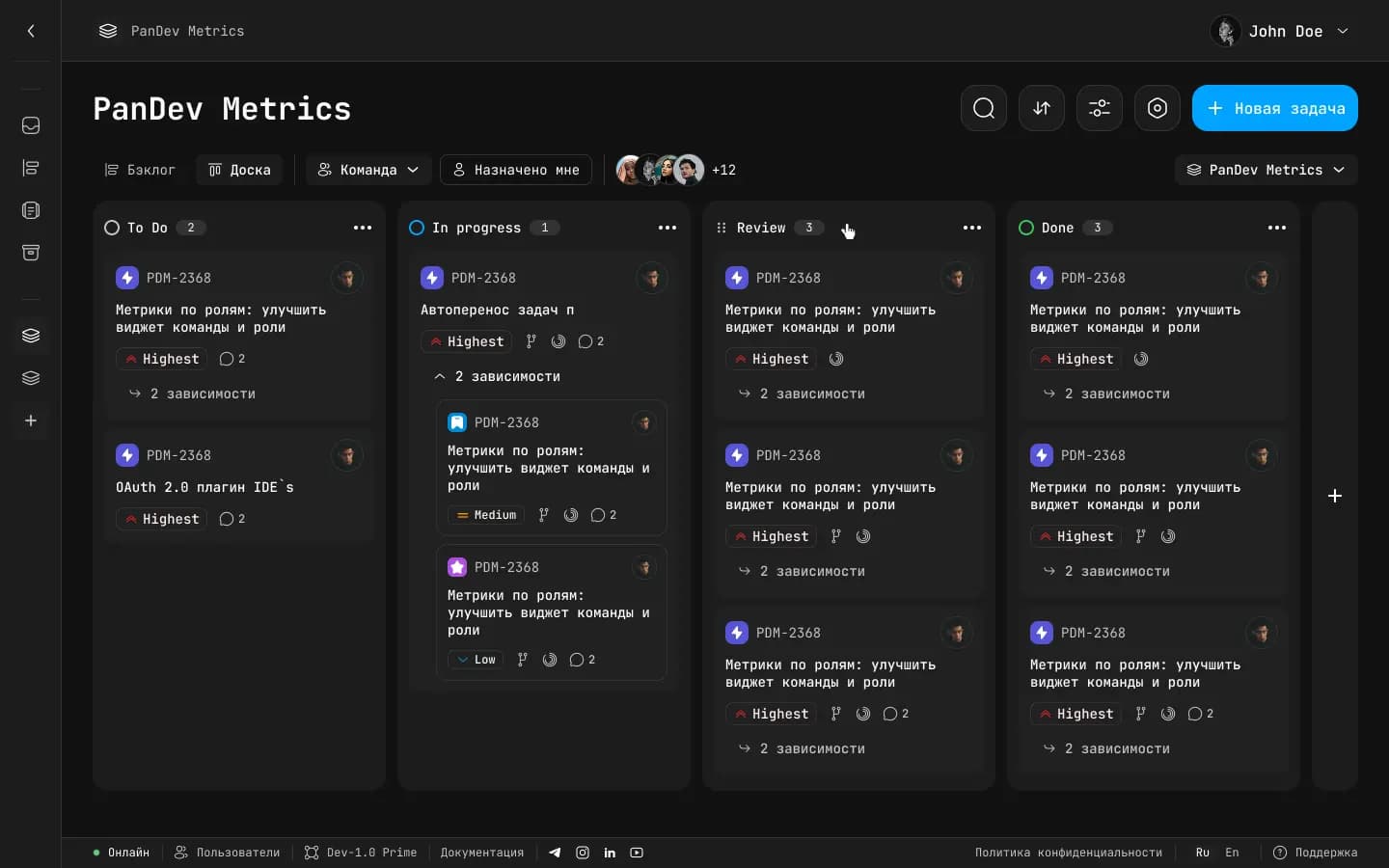
Team documentation, next to the tasks and the code
Guidelines, decisions and onboarding live inside PanDev: a page tree, full version history, and links to tasks, people and teams right in the text.
See it in the demoVersion history and restore
Every change to a page's title or text stores the previous revision. The history sits on the page itself — any point can be previewed and brought back.
What exactly gets stored
A snapshot is the page's full state at that moment: the title and all of the content, including images, tables and formatting.
History and restore
Every edit stores the page's full state — bringing back an earlier revision is one click.
Page tree
Nesting of any depth, drafts and favourites — no more «just in case» copies.
Live links
A task, a teammate or a team in the text is a card you can open, not a string.
Analytics at every level
From the whole company down to an individual developer — unified analytics in clear dashboards.
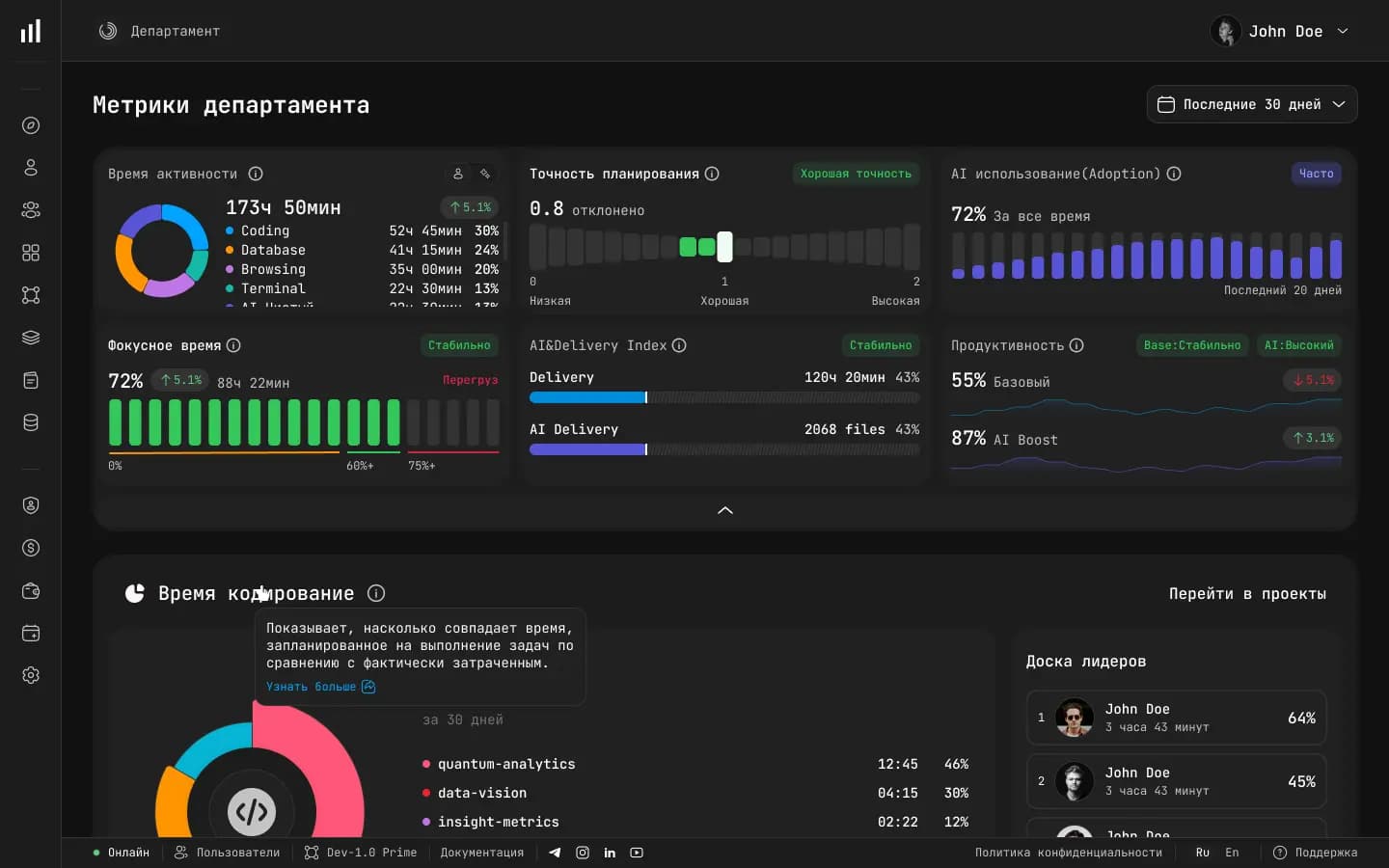
Department metrics
Compare departments and teams side by side: delivery speed, code quality, and workload on a single screen.
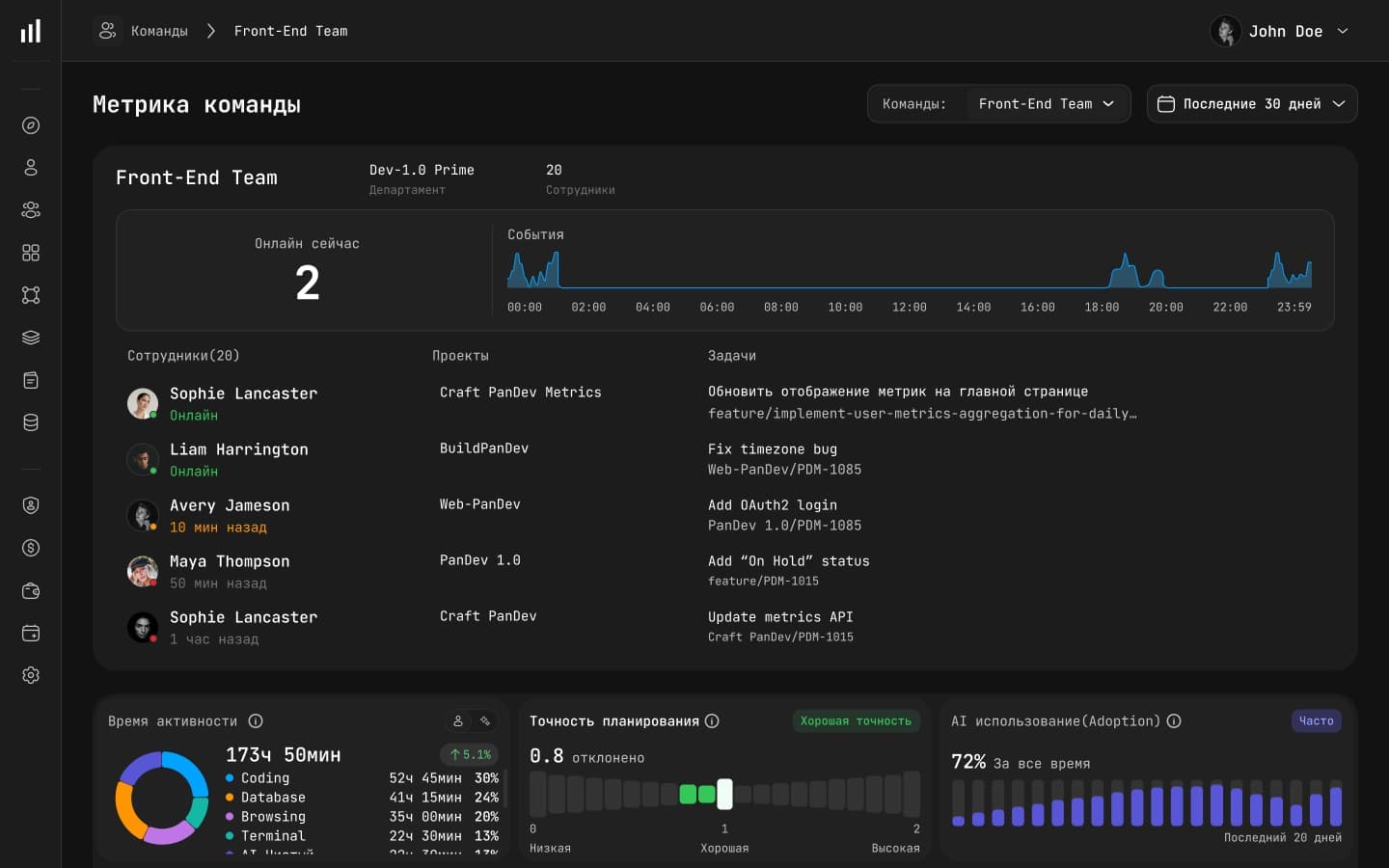
Team metrics
Metrics, reviews, and task delivery for a specific team — see where things flow and where they stall.
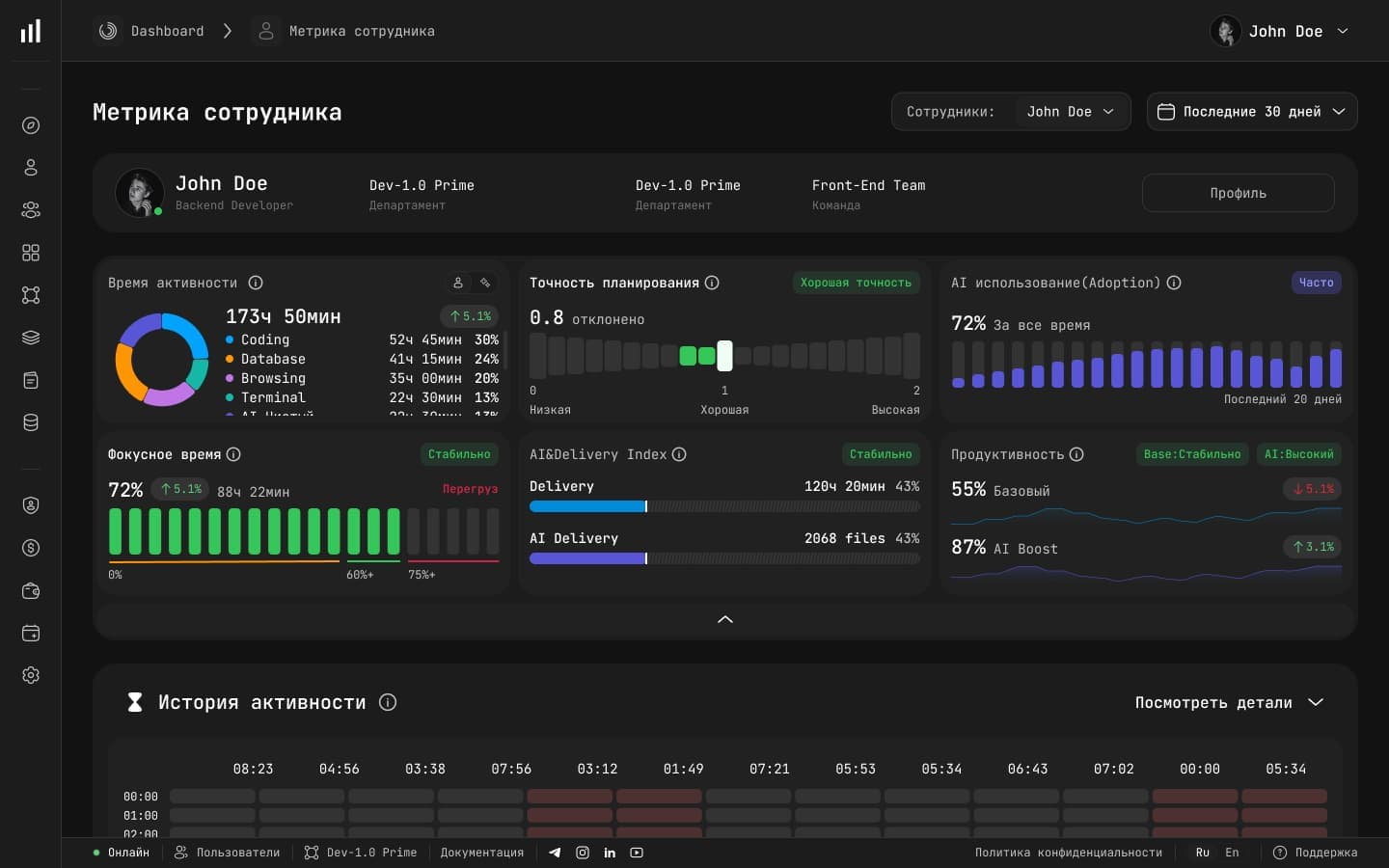
Developer metrics
Each developer's contribution: IDE activity, commits, and review participation — without micromanagement.